![RxTro_Training Academy_Logo_FINAL_Transp.png]](https://kb.rxtro.com/hs-fs/hubfs/RxTro_Training%20Academy_Logo_FINAL_Transp.png?height=40&name=RxTro_Training%20Academy_Logo_FINAL_Transp.png)
Reset your RxTro Password:
Go to RxTro com.
1. Click on the link forgot Password
2. Then enter your email address and the Text Verification Code and click Next
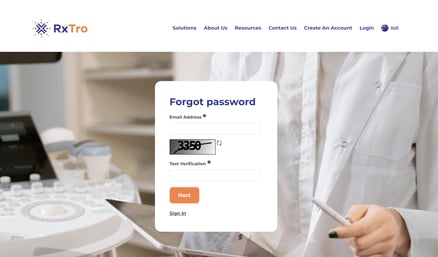
3. You will be emailed a new password.
Please check your Spam/ Junk email folder for your Password Reset Email
Trouble Shooting:
If the new password is not working and you are getting the following error message:Authentication Failed
- Please check the spelling on your email to ensure it is correct and ensure you are entering the correct password.
- If you still are still getting an error message try clearing your cached data and cookies and typing RxTro.com/group/rxtro into the URL.
Resetting your RxTro Password Security Question
- Log into RxTo
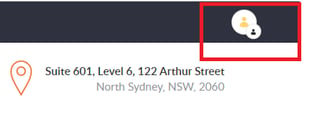
- Click on your account icon at the top right of the page
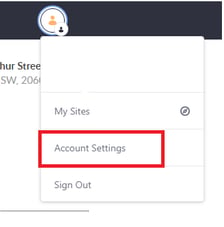
- Click on account settings
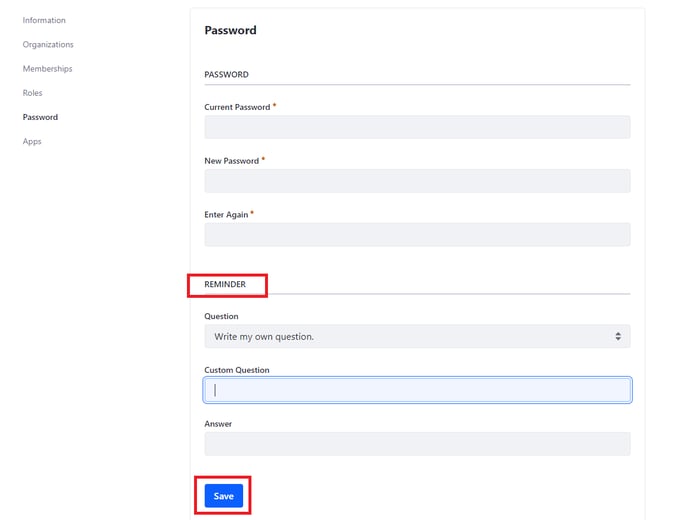
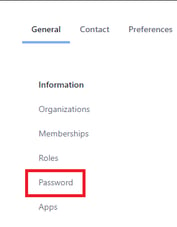
- Click on password
5. Scroll to the Reminder Section- select a security question from the drop down options or write your own, ensure you enter an answer and click save.